
Links, minus the tracking.
Purix removes known tracking parameters — utm_*, fbclid,
and site-specific tokens on Amazon, YouTube, X/Twitter, eBay, AliExpress, Walmart,
LinkedIn, and Instagram — from URLs as you navigate, click links, and copy them.
It performs no other function.
Zero network calls Zero telemetry Zero remote config One rule set, three browsers
Four moments it cleans a link
Same core cleaning logic, applied at every point a URL could leave the page.
Navigation
Before a tracked link finishes loading, Purix redirects it to the clean URL as early as the platform allows — see fig 02 for how that differs by browser.
Link clicks
An <a href> on the page is rewritten the instant you press down or right-click it, so opening it in a new tab, middle-clicking it, or copying its address all see the clean version.
Copying text
If the text you copy contains a URL Purix would change, the clipboard write is intercepted and the clean version is copied instead — both text/plain and text/html are checked. Copy something with no affected URL, and Purix never touches the clipboard.
Context menu
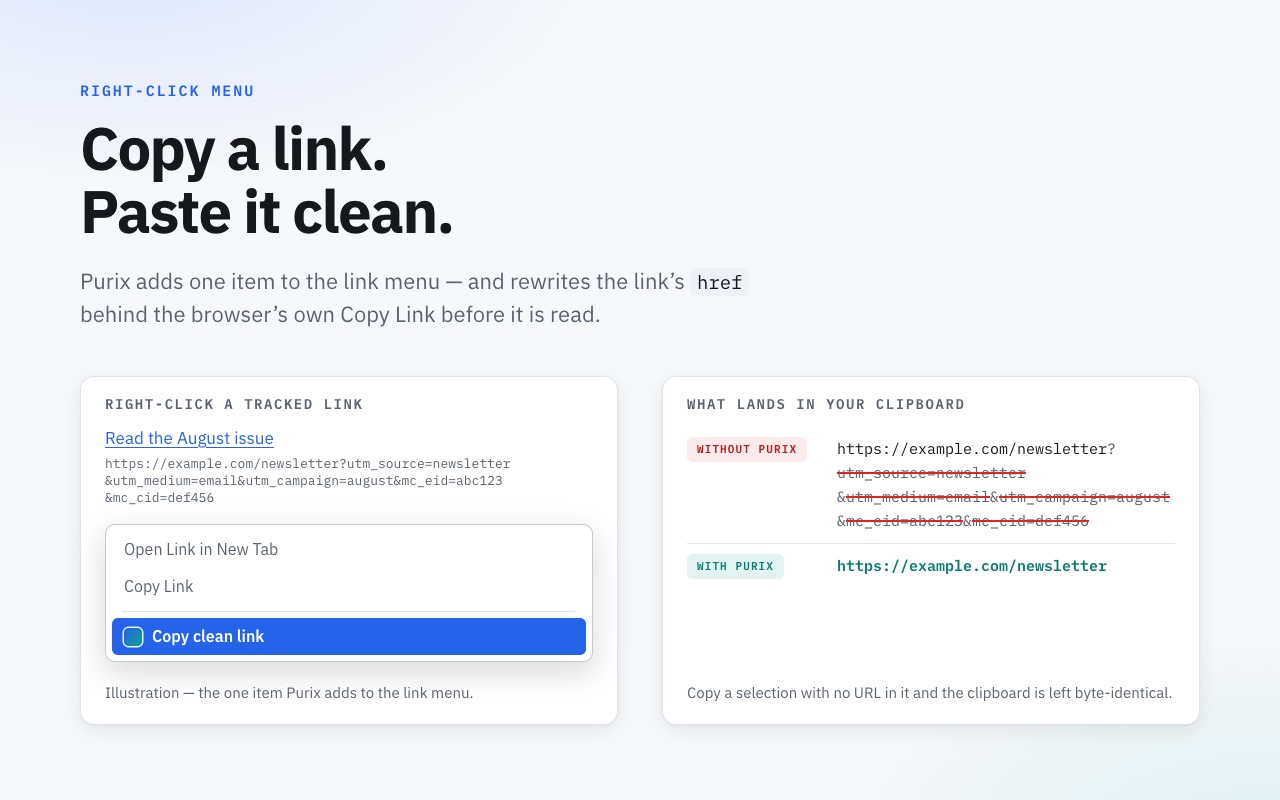
A "Copy clean link" entry is added to any link's right-click menu, alongside the browser's own items. Desktop only — Safari on iOS doesn't expose a context-menu API to extensions.
Where it intervenes
Each browser gives extensions a different mechanism for redirecting a navigation. Purix uses whichever one is safest and most reliable on each platform — all three run the same core cleaning logic underneath.
- Chrome a static Declarative Net Request ruleset redirects the request before it leaves the browser.
- Firefox blocking
webRequest.onBeforeRequestreturns aredirectUrl— the dirty request never leaves. - Safari a content script calls
location.replaceatdocument_start— the first (tracked) request can briefly go out before the page redirects.
What it looks like
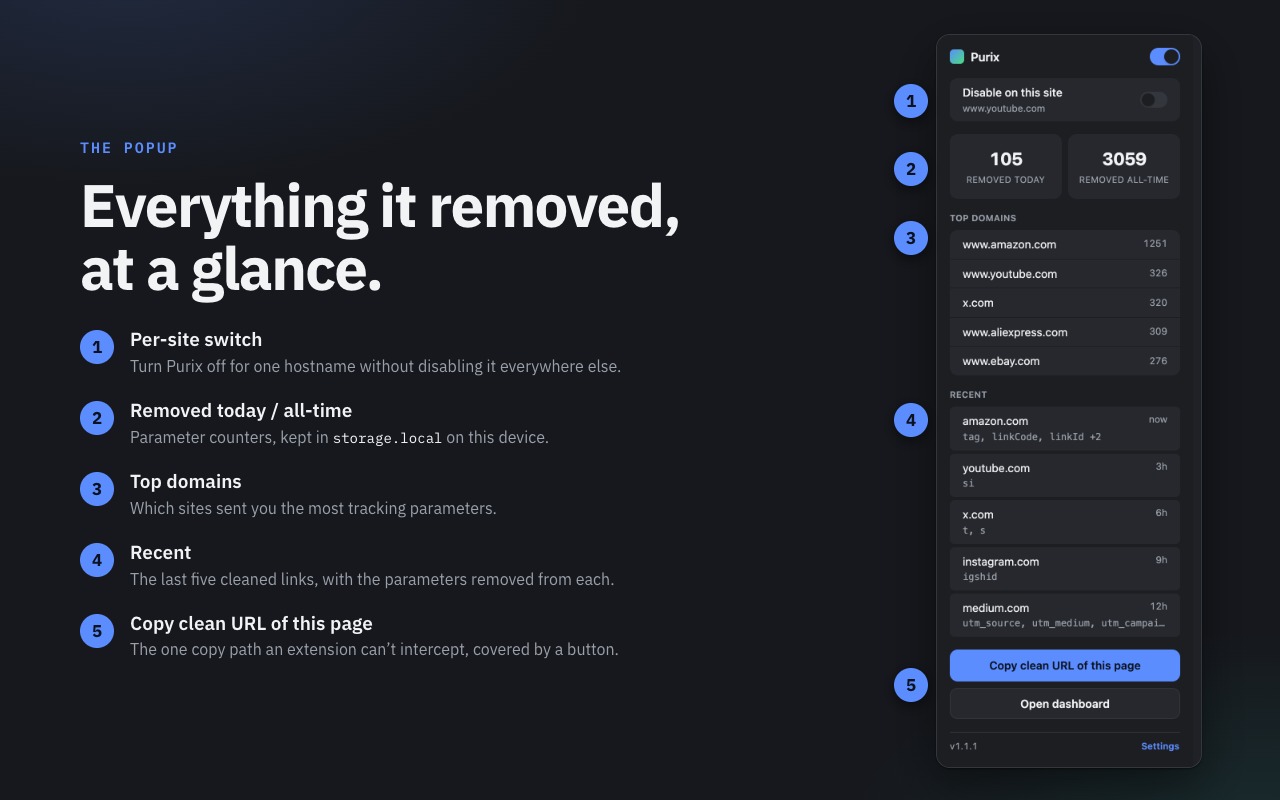
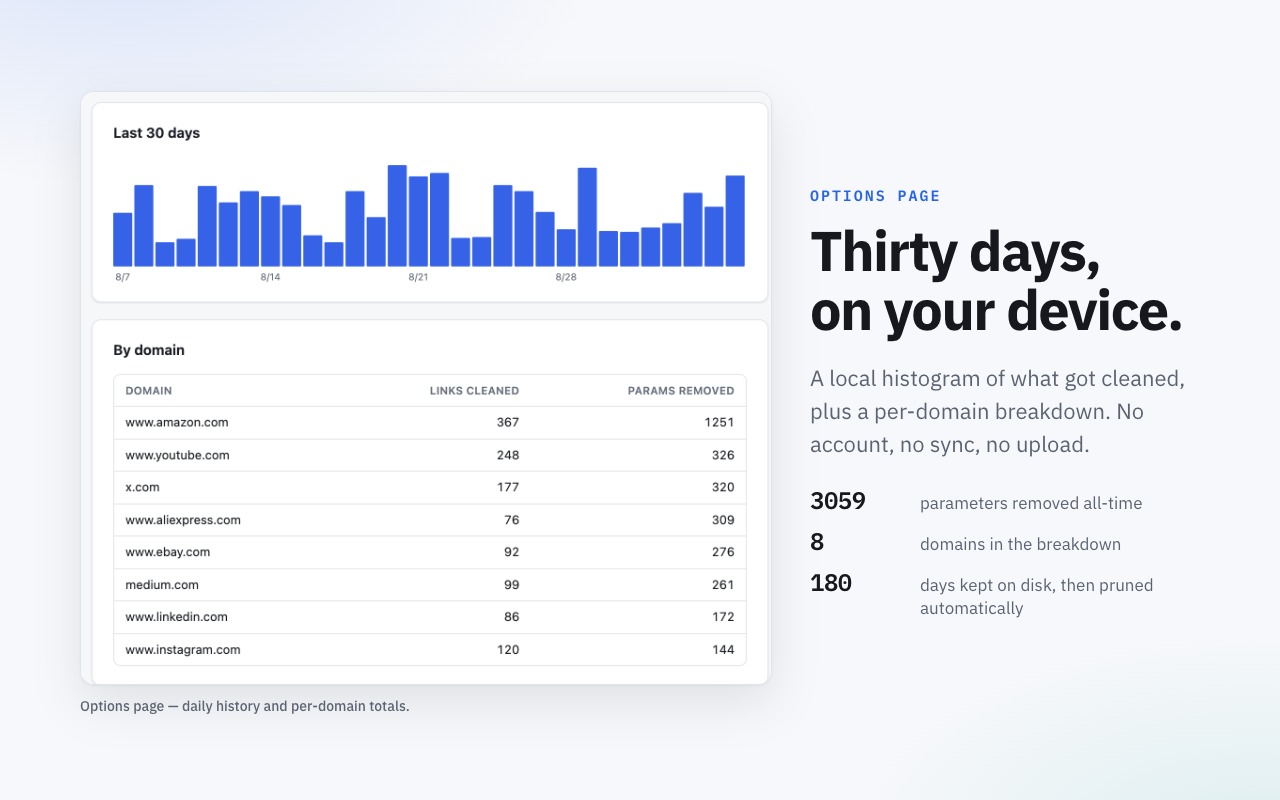
A popup for the moment, a dashboard for the trend line — both live entirely in your browser.
Blocklist-only, on purpose
A tracking-param stripper only earns a permanent place in your browser if it never breaks
a page — one broken checkout and it gets uninstalled. Purix never guesses: a parameter is
stripped only if it is named on a curated list, or matches a known prefix like utm_.
A fixed keep-list overrides every strip rule, and anything Purix doesn't recognize is left
exactly as it was.
x.com/twitter.com, t/s pierce the keep-list, because there they're share-tracking tokens rather than content selectors.
28 global strip params
1 global prefix (utm_)
10 protected keep-list params
8 site-specific rule sets
323 unit tests
Built-in site rules cover Amazon, YouTube, X/Twitter, eBay, AliExpress, Walmart, LinkedIn, and Instagram. You can also add your own strip or never-strip rules from the dashboard — see Support for how.
Zero network calls. Zero telemetry.
Purix's entire rule set ships inside the extension and is only ever updated by installing a new version — nothing is fetched at runtime. Settings, local usage counters, and a recent activity log (hostname and the names of removed parameters, never the URL itself) live in your browser's local storage and are never transmitted anywhere.
storage.local on this device only. There is nothing on the other side of the line to send them to.
Read the full privacy policy.
Get Purix
Not published to any store yet — links go live here the moment each listing is approved.
| Browser | Store | Status | Mechanism |
|---|---|---|---|
| Chrome | Chrome Web Store | Coming soon | Static DNR ruleset |
| Firefox | Firefox Add-ons | Coming soon | Blocking webRequest |
| Safari (macOS) | App Store | Coming soon | Content-script redirect |
| Safari (iOS) | App Store | Coming soon | Content-script redirect |
Until listings go live, Purix is installed by loading it unpacked from a local build — the repository’s README carries the per-browser steps.