portable-artifacts · /make-dashboard · /make-diagram · /make-explainer · /make-motion · /make-scene
Dashboards, diagrams, explainers, 3D scenes and videos, built offline by any agent
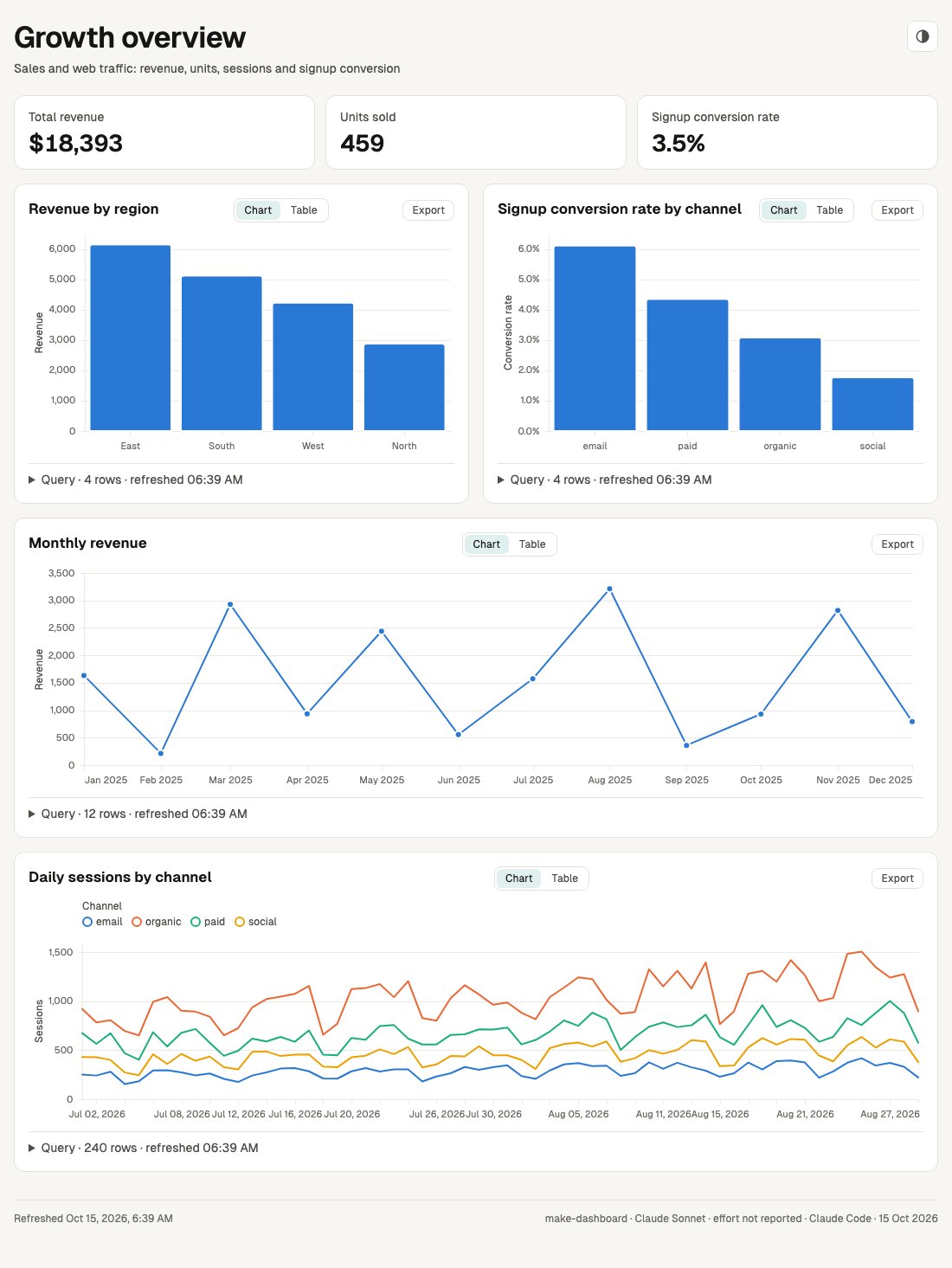
/make-dashboard turns a data file into one self-contained HTML page of KPI tiles and charts, and every chart expands to show its SQL, row count and refresh time. /make-diagram turns a prompt into an architecture diagram, flowchart, sequence or state diagram as one offline page with zoom, a story player, an Explore panel and full screen. /make-explainer turns a branch, an idea or a plan into one offline page or slide deck of typed sections (a verdict, numbers, files changed, a timeline, a test checklist that remembers its ticks), embedding diagrams, charts, 3D scenes and clips, and a linter rejects filler phrases and leftover placeholders before it builds. Its plan preset makes a page a reviewer answers in the browser (an option per decision, approve or changes, a verdict) and hands back as a checked plan-answers.json, or as the page itself saved with the answers inside. Numbers and their units stay on one line, and on Copilot and Codex a build can run on a cheaper model through an optional agent file. /make-motion turns a prompt into a live preview with a scrubber and a deterministic 1080p MP4, silent unless you ask for sound, then music from your file or a locally synthesised voiceover. /make-scene turns your data into an explorable 3D city, forest, galaxy or terrain, or lifts a diagram or chart into 3D, with a camera tour, as one offline page. Each page also carries a favicon, an icon theme toggle (except the make-motion preview) and a line saying which model, effort level and agent wrote it. Each skill's doctor reports anything missing before the first build. Tested live on this branch in Claude Code and GitHub Copilot CLI, and in an earlier eval on Codex CLI; Gemini CLI install paths are checked against its docs, not run live; make-scene passed its eval with 10/10 valid builds in one eval run (Claude Haiku in Claude Code, median 1.5 validate runs; results).
- Offline, and the same result every time. After a one-time install nothing touches the network except your own data files (and an image service, only if you opt in to make-explainer's
--image-api), and the same spec always produces the same page or video (the build date in the page footer and a dashboard's refresh time aside). A spec that tries to reach the network is rejected. - The model's whole job is one small JSON file. Writing a spec that matches a schema is easy work, so this runs on small and local models too. A mistake comes back as a precise message, for example
charts[0].query: "rev_by_regin" not found; did you mean "rev_by_region"?, and the agent fixes one field instead of regenerating everything. - Scripts do the rest. Plain Node scripts validate the spec, build the HTML page, run the preview and render the MP4. "Slow down scene 2" changes one field, so everything else stays exactly as it was. Needs Node 20; make-motion also needs Chromium and ffmpeg, and fetches the Kokoro voice model once if you ask for narration.
/plugin install portable-artifacts@claude-skillsnpx skills add abhijitbansal/claude-skills --skill make-dashboard make-diagram make-explainer make-motion make-sceneOptional, on Copilot or Codex: a cheaper model for the builds. After an npx skills install, the skill's doctor offers to write a small artifact-builder agent file, or run it yourself (replace <skill-dir> with the installed skill folder):
node <skill-dir>/scripts/doctor.mjs --fix builder_agent